
Call us today
(518) 456-1011

May 08, 2012

A new focus on HR

Recently, I submitted my application to both SHRM and CRHRA, the best national and regional associations for Human Resources managers.

What sparked my interest was the fact that 4 months ago we were a small company with only 42 employees. We had a couple of upcoming projects that would increase our workforce, thus a need for more human resource involvement. I wanted to make sure we were on the right track as we grew, because with growth comes changes with some local and federal laws. We wanted to make sure we here at EBizDocs were out in front of the curve making sure the employees had an advocate.

It is my hope that we as a company can continue to grow, and that we can move to the next level and keep the employee involvement we have. As owner of EBizDocs, Howard Gross has always believed in his people and always wanted to make a difference that would set us apart from the others—gaining a better body of knowledge in this area would help us maintain that difference.

Being a member, you should be involved in the HR area, which I have for the last 5 years, reviewing resumes, interviewing, hiring, terminations, reviews, write-ups, scheduling, training, scanning of personal files, orientations, medical benefits, proper retention of records, labor laws, time and attendance, as well as payroll.  It is my hope to achieve a better and broader knowledge in the HR field and to achieve a PHR certificate along the way. I can’t help but feel by taking this direction it will only help make us a better company.

I look forward to attending the various seminars as well as the training itself.


May 07, 2012

Busyness vs. Business

Time is of the essence—in fact, within the scope of business, time is of the greatest essence. Whenever there is an opportunity to improve time management, it must be considered and the factors must be weighed.

So, the question is: What keeps you busiest?

If the answer has anything to do with managing your documents, the opportunity we’re talking about is there.

Document scanners are fast

If you took a moment to imagine a scanner on your desk to digitize your paper and the first thing you saw was a large box with a lid, you’re probably thinking of a flatbed scanner. These are great for scanning oversize or delicate documents (as well as a large variety of objects), but are poorly suited for batch scanning. Picking up that lid and placing document after document will get old quick.

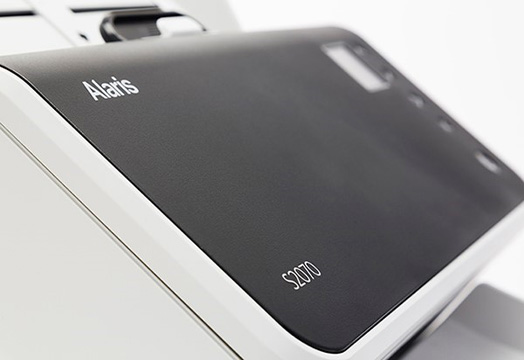
Scanners today have evolved to more sophisticated machines. Kodak’s family of document scanners have varieties, all the way from desktop scanners that take up about the same footprint as a telephone and can scan up to 70 pages per minute, up to production scanners that can blast through 170 pages per minute. You can easily scan paper on a day-forward basis or tackle the project of digitizing your entire file room.

Check out this case study to read about one
customer’s revelation about how fast scanners are.

Of course, having your documents in digital format sets you up for the next step:

Document Management Software cuts the waste

Wasted time. Wasted payroll. Wasted effort that can be spent developing new products, serving customers, generating new leads, and focusing on whatever it is that your business does best.

See how Hoffman Car Wash cut down on their
waste by using a Document Management System (PDF)

Take a moment to consider how long you spend on the phone with office workers trying to track down a document. Think about how many steps you take to and from the filing cabinet. And tally up the overall time that is spent managing (locating, pulling, working, distributing, and refiling) your paper documents.

When you subtract the mere moments it will take to perform the same actions in a well-planned digital format, the remainder is a lot of waste.

Conclusion

Running a profitable business doesn’t always mean you have to run yourself ragged in a constant state of busy. Improve the processes you use and the busyness will diminish, even as the business grows.


May 02, 2012

Employee of the Month: April 2012

Our Employee of the Month for April began with us last year. It did not take long for this employee to complete their training and learn the EBizDocs ways. Not only was this person a quick learner and an excellent employee, always asking the right questions, this employee also developed an excellent working relationship with both her team members as well as management. What set this person apart from the others was her eagerness to jump in where ever needed to accomplish the various short term jobs and her willingness to learn new and different methods that we here at Ebizdocs do. This employee has also offered on several occasions to work extra hours to try and help the company hit its weekly goals and always doing it with a smile. She has also carried that eagerness and attitude over into answering the phones as well.

Our Employee of the month is Ashley.


May 01, 2012

Replace the Tupperware box with a ScanMate

In April of 2011, Mrs. B. Roth blogged about the snapshot of her college education: “This Is What My College Education Looks Like

It provided a synopsis of an assignment to write a paper, the subject of which was every other class. Kind of like an evaluation and ranking of all of the classes taken by Roth.

In the body of the blog was this picture:

Clearly, there is a lot of hard work going on there, and we certainly hope the paper turned out well. The obvious effort alone should merit an A— however, may we suggest a Kodak Scan Mate to scan the paper to searchable PDFs? Now that it comes to mind, how about an affinity program so that institutions can deliver that technology to their students at a better rate? That would free up the Tupperware for a more fitting use of storage in a college dorm room.

 I had this one big Tupperware box. When I finished a class, I’d gather all the paperwork and notes and pile it in the box. Kind of like how I used to keep all my bills in a shoebox. Once I put something inside, I forgot it existed.

Definitely one of the challenges of using a shoebox or Tupperware for document storage: to not forget about it. Check out the Kodak Scan Mate desktop scanner to make your college life more manageable.

View the Scan Mate page and contact us if you would like more information: The Kodak i920 ScanMate document scanner


April 20, 2012

Flatbed Friday: Poker chips and playing cards

With our company president Howard Gross in Las Vegas for the ITEX2012 conference, we pulled out the poker kit to get some hi-res imagery of high-stakes paraphernalia. You can view the full image in a browser here or use the viewer below.


April 18, 2012

Open House

Our Open House on the 18th was a great time of connecting for old friends, new contacts and established business partners.  From sole proprietors like Gary Tash of Pinewoods Studios to Mary Archer-smith of First Niagara Bank, visitors seemed sincerely impressed as we had opportunity to showcase many of the best practices which have been refined by President, Howard Gross and crew for nearly thirteen years.

It didn’t hurt that Operations Mgr, Ed Canary and his staff went out of their way to roll out some outstanding  Italian delicacies from Pellegrino’s in Albany.


April 11, 2012

Dentist office doubles up on scanning speed

Late last year, we did a demonstration at a local dentist office that was migrating to a new system of patient management. Their software, specifically tailored to manage patient records in a dental practice, handles patient information, appointments, and documentation. It even had support for connecting to a scanner to get paper documents into the system to be viewed alongside the data.

After seeing the speed and quality of performance, they purchased the i2600 Kodak scanner, capable of pushing out 50 pages per minute and stacked with a 3-year warranty. We checked on them a few weeks after delivering and installing the scanner, and found that it was getting a lot of use. In fact, there was still a bottleneck due to the high volume of paper that had to be digitized.

The decision was made to get another scanner. Having been through the demonstration process, pricing, and all of the other factors that slow down that first sale, we were able to deliver and install the second scanner in a back office within three business days from the order date.

We think this should probably keep them on top of their influx of paper for the moment, and we’re very excited to continue to hear feedback on their new paper-reduced process.

Would 50 pages per minute be fast enough for your office to stay ahead of the paper?


Adobe iOS/Android update is worth the wait

Yesterday, Adobe quietly updated their Reader App for both iOS and Android. The new release gives users the ability to fill out PDF forms, add free-hand annotations and sticky note style comments, and includes an “Ink Signature tool” for adding “wet” digital signatures. Many of the new Reader features are not new to the tablet community. Since 2010 (“The Year of the iPad”) companies desiring more feature rich PDF functionality for either iOS or Android platforms have had to rely on third party apps. And they were willing to pay for it. PDF Expert, one of the most popular iOS apps, still charges $9.99 for much of the same functionality that the new, free Reader app supports.

Perhaps the most significant new feature of Reader for iOS and Android is support for fillable PDF forms. While I don’t expect the new release to make much of a splash in the consumer market, it could mean that many companies will finally take the plunge into business mobility.

Why?

Nearly all businesses and organizations use forms on a regular basis. By implementing a combination of fillable PDF forms and tablets, organizations not only cut paper and toner costs, they dramatically improve data collection and efficiency. With an official Adobe solution now available, making the switch to paper-less digital record management is easier.

Expert, however, still has a few tricks ups its sleeve with features like a document library complete with a file folder structure, a “Save As” feature, and synchronization with a web-based storage service like Drop-box to name a few. While these extra features might make Expert worth the $9.99 price tag for some consumers, most companies will be much more comfortable staying within the Adobe family of products where their software is fully supported by a company whose name is recognizable. This ensures that the intended security and functionality attached to their business documents will not be exchanged for, perhaps, unnecessary additional features by a third party app.


April 02, 2012

Times Union Job Fair 2012

If you’re a regular attendee or employer at previous Times Union Job Fairs, you know the impact they’ve had on the job market. Once again, hundreds of seekers (both employers and career hunters) will converge to match talented individuals with exciting new job opportunities.

On the Edge blogger Kristi Gustafson Barlette points out “women in business” focus that will be featured during the noon-to-1p.m. panel discussion “Women on the Move: Grabbing the Next Rung on the Ladder of Success.”

E-BizDocs will be there again, greeting hopeful job-seekers just past the door to scan résumés so that they can be more efficiently shared with and utilized by companies who are looking to hire their next outstanding team member. Operations Director Edward Canary will be using a Kodak i2800 to create searchable PDFs of paper résumés.

In the past, we’ve seen some interesting résumés. Occasionally, we receive one that has several pages. While most Human Resources managers recommend a more concise résumés , it doesn’t really slow down the scanning at 70 pages per minute.

Other tips we’d like to point out are that papers that are not white or have flecks or textures don’t always OCR well, nor do handwritten résumés. If you’re asking the question, yes, we have seen them.


Learn more about the i2000 Series of Kodak document scanners


Have you been to past Times Union Job Fairs? If so, what did you think of them?


March 28, 2012

Old customer, new to CNG

Today I completed a training session for an old customer, new to CNG. We’ve been scanning their backfile for years, amounting in thousands of boxes digitized, and now we’re moving them into our fold of customers using CNG as their primary document management system.

I was there for a few hours, conducting the training. In addition to the standard training protocol, we definitely happened upon some “a-ha” moments.

During the course of the session, while we go over some detail of the product, oftentimes we touch on a feature that the customer hadn’t thought of utilizing before, but suddenly, the light goes on and they say, “Hey, we could use that for this!”

Those moments are great for us, because there’s so much detail in a product like CNG that it’s hard to anticipate precisely how the product will be used, and you really need that customer input.

Jason Abare, Director of Technology